AI Providers
Atlas Review needs one active AI provider. Atlas can often detect one for you, and if not, you can add one manually.
Auto-Detected Paths
Section titled “Auto-Detected Paths”Atlas can scan for installed CLI tools and existing credentials.
The app already labels these clearly in the UI. In Settings > AI Provider, detected entries appear as Auto-detected, and in some global setup surfaces they appear as CLI detected.
Common detected paths include:
- Claude Code via CLI and subscription-based auth
- Codex CLI, including ChatGPT subscription-backed auth where supported through the CLI path
- Gemini CLI with detected local credentials or CLI-backed auth
- OpenCode via CLI detection
When a provider is detected and connected, you can usually make it active without entering a key manually.
What A Detected Provider Looks Like
Section titled “What A Detected Provider Looks Like”During first run, Atlas may show AI Provider Detected and list one or more providers it found on your machine.
Typical examples include labels such as:
Claude Code (subscription) — via CLICodex CLI (subscription)Gemini CLI (detected)OpenCode (detected) — via CLI
From there, users usually just continue with the detected provider. In Settings, the active provider remains visible so they can switch later if needed.
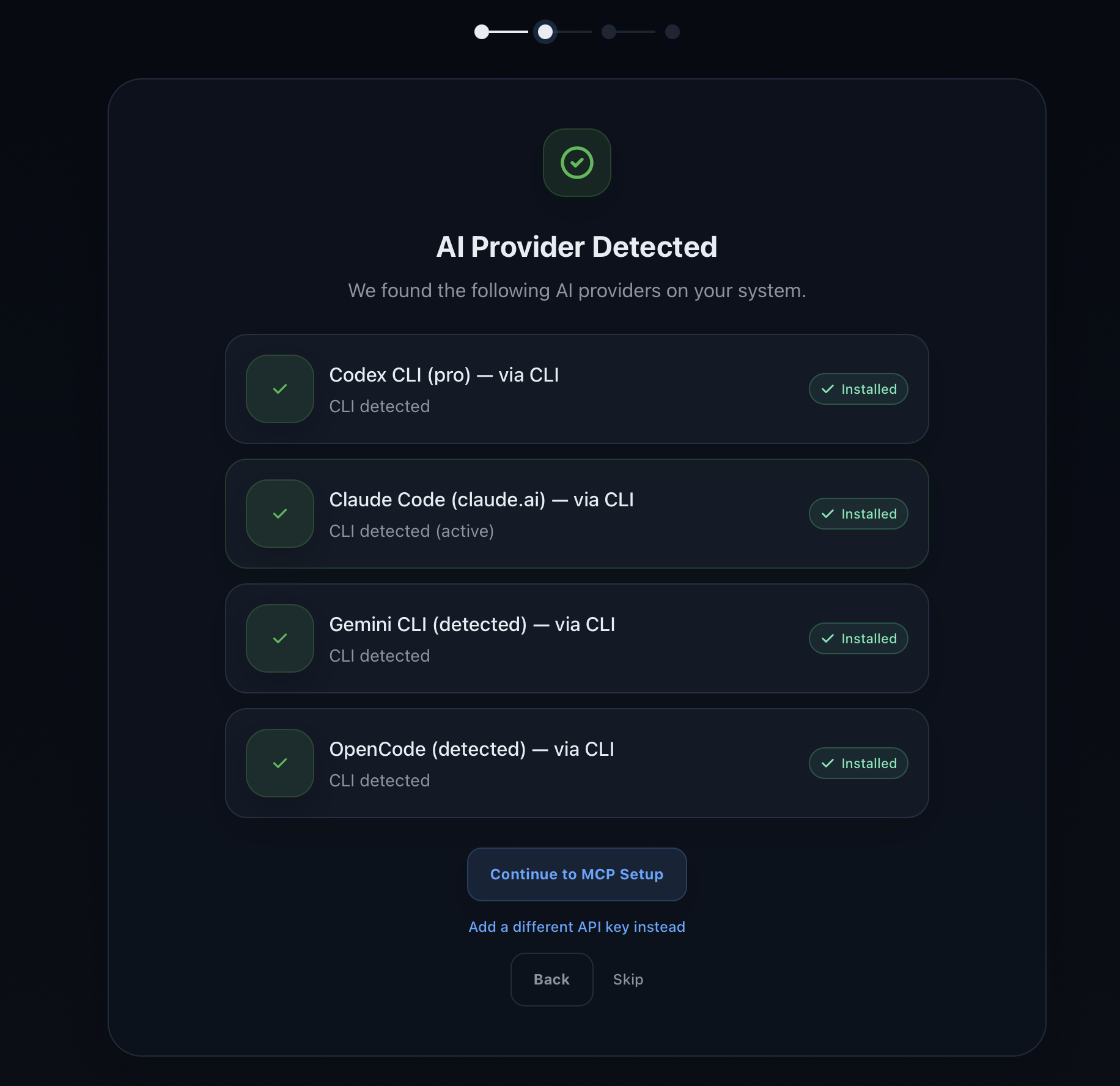
This is the expected happy path: Atlas finds installed providers, marks them as connected, and lets the user continue without entering keys manually.
Manual API Key Path
Section titled “Manual API Key Path”If nothing is detected, or if you prefer bring-your-own-key, Atlas lets you add an API key directly in Settings > AI Provider.
Supported manual API-key setup in the app includes providers such as:
- Anthropic
- OpenAI
Atlas lets you Test Connection before saving. API keys are encrypted locally, and review diffs are sent only to the selected provider.
If no provider is active, the app also surfaces that state directly with No active AI provider.
OpenCode Path
Section titled “OpenCode Path”Atlas also supports OpenCode as an additional path.
OpenCode is an open-source coding agent that connects to many LLM providers. In Atlas, it is presented as the path for free-provider and open-source style setups.
The app specifically guides users toward OpenCode for providers such as:
- Gemini
- NVIDIA NIM
- Ollama
In the global settings UI, this section appears as OpenCode (Free Providers).
Atlas includes an OpenCode setup wizard that:
- checks whether OpenCode CLI is installed
- helps configure a provider
- verifies the connection
What To Do If No Provider Is Active
Section titled “What To Do If No Provider Is Active”If Atlas shows No active AI provider, use one of these paths:
- re-scan for tools
- add an API key manually
- set up OpenCode and choose a provider